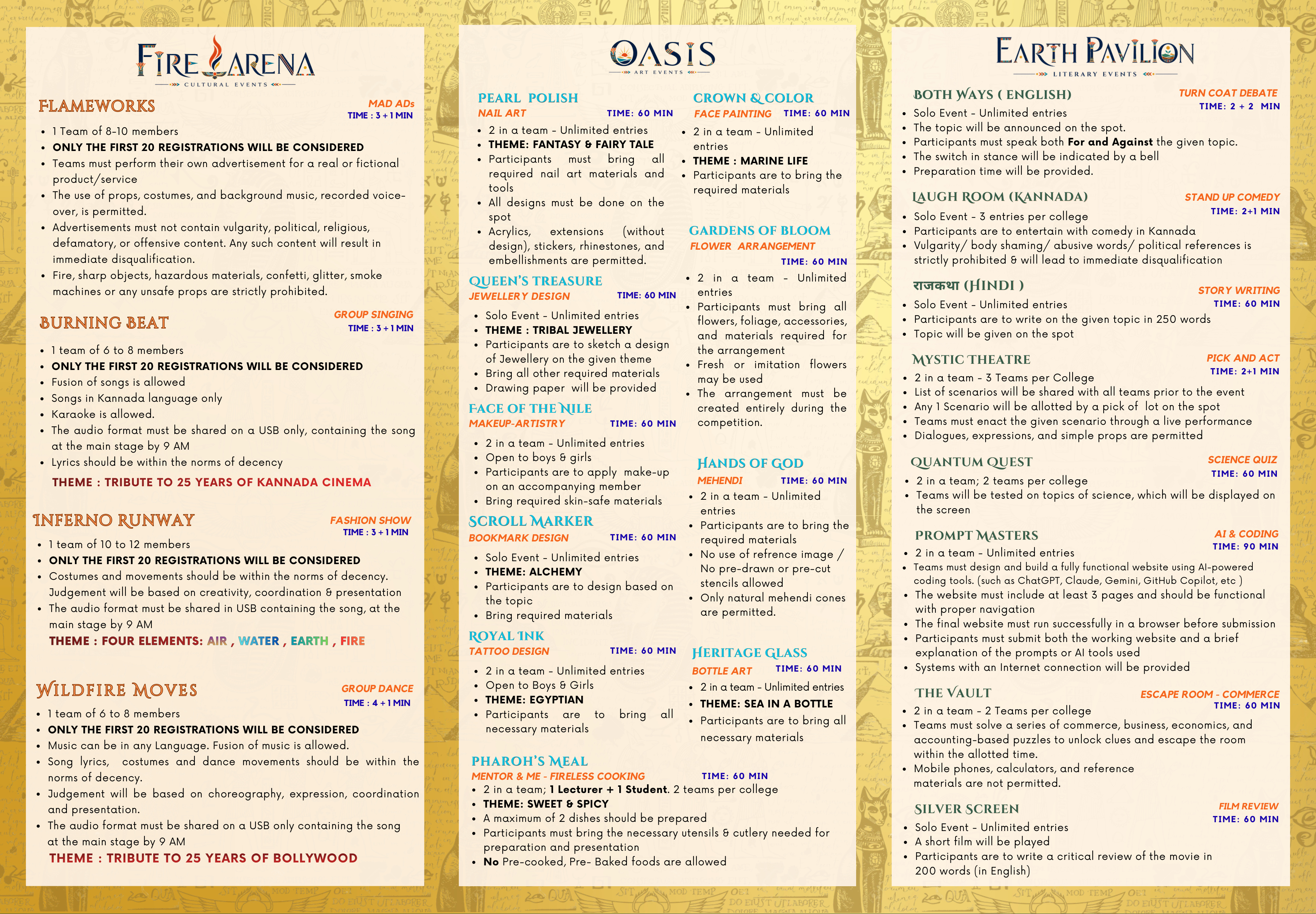
1. Inauguration & Timings: All participants should attend the inauguration on 29th August 2026 and be seated by 9:00 AM.
2. College Identity: All participants must compulsorily wear their college ID cards. PARTICIPANTS WITHOUT ID CARDS WILL NOT BE ALLOWED TO PARTICIPATE IN ANY EVENT.
3. Teacher Co-ordinator: One teacher co-ordinator must accompany the contingent participants.
4. Main Stage Audio: All music for main stage events must be handed over at the main stage by 9:00 AM in USB format only.
5. Stage Dimensions: Main stage dimension is 38' X 16' feet with an LED wall for graphics display. The Fashion Walk ramp is 12' X 6' feet.
6. Code of Conduct & Decency: Vulgarity, abusive words, body shaming, or political references will result in immediate disqualification.
7. Judges' Decisions: Organizers' and Judges' decisions will be final and binding for all events.
8. Overall Championship Points:
EVENT TYPE
FIRST
SECOND
THIRD
SOLO
3 Pts
2 Pts
1 Pt
TEAM (2-in-a-team)
6 Pts
4 Pts
2 Pts
GROUP
12 Pts
8 Pts
4 Pts
Step-by-Step Registration Guide
1
Get College Code & Sign Up
Click on "Register Now" on the home page. Enter your unique 6-character College Code (e.g., AN0090 or AS0090), your full College Name, lead student details, and choose a secure password.
2
Log In to the Fest Portal
If you already created an account, click "Login" in the navigation bar. Enter your College Code (e.g., AN0090) as your username and enter your password.
3
Select & Configure Your Events
Once logged in, go to the "Select Events" list. Click the checkbox next to the event you wish to participate in. For group/team events, name fields will load automatically. Input the name of each participant. All team names are automatically numbered (Team 1, Team 2, etc.) under the hood.
4
Cross-Check Your Details
When you are done setting up your participants, click the "Pay & Register" button. A pop-up summary will appear. Carefully review all event categories and member names. If correct, click "OK" to proceed.
5
Make Payment Securely
You will be redirected to the secure Razorpay Payment Gateway. Complete the checkout using UPI, NetBanking, Card, or Wallet. Once the payment is verified, your registration is instantly confirmed and synced to our master registry.